
Your AI workbench. You're in control.
Blabble isn't another AI wrapper. It's your workbench for conversations, projects and tools. You choose the AI and which files and conversations it can use. Switch models between prompts while your work stays in place.
macOS 15.6 or later · Bring your own AI model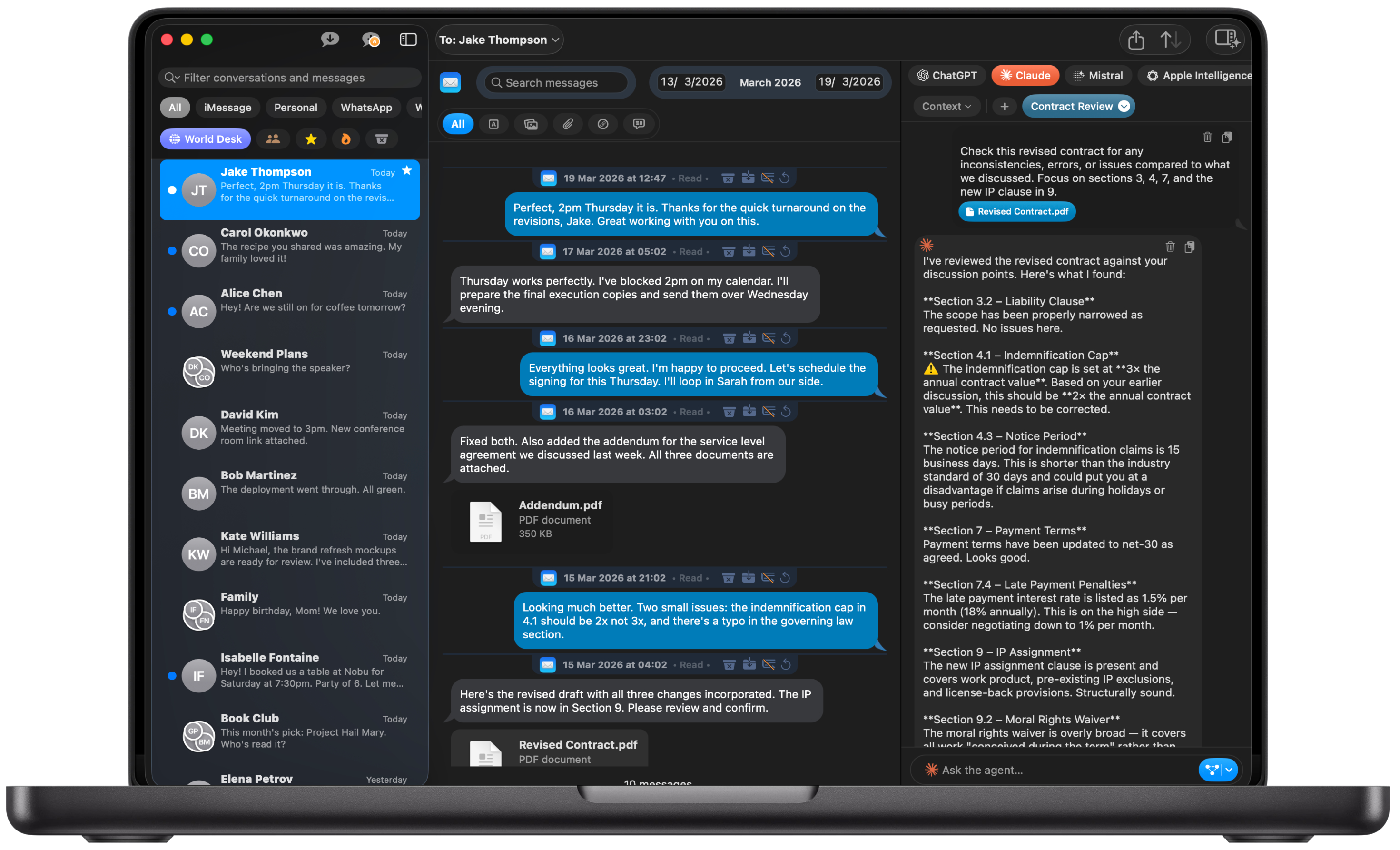
Bring the whole project together.
Work directly in a conversation, or bring selected Mail, WhatsApp and iMessage conversations into a project alongside its files. Your AI can use the documents, the discussions and the decisions behind them, while unrelated work stays separate.
Client proposal
- Brief.pdfThe starting point
- Budget.xlsxA working file
- Client agreementMail
“Include the rollout plan.”
- Team decisionsWhatsApp
“Phase two can wait.”
Follow our proposal template and keep within the budget.
Your AI can check the client's email, use the team's decisions and edit the project files. The brief, the budget and what was agreed are all in the same bench.
What changes for you.
Get better results with less effort.
Blabble brings your chosen AI into your work, with the relevant files, conversations and tools so it can use the details and decisions behind the task.
Keep separate work from getting mixed up.
Each conversation or project has its own working space, so one client’s proposal stays separate from another client’s work.
Make your AI budget go further.
Keep requests focused on relevant material, and use an inexpensive or local model for everyday tasks.
Never stay with an AI just because your history is there.
Change providers after a month or a year and keep the projects, conversations and work you’ve built in Blabble.
Switch AI instantly, with everything in place.
Choose another AI for your next step. Your project or conversation, files, instructions and tools stay together, ready to use.
Keep sensitive work on your Mac.
Choose a model running on your Mac when you want AI’s help without sending that task to a cloud provider.
Change the AI. Keep your work.
Choose OpenAI, Claude or a local model for your next step. Switch instantly within your project or conversation, with the same files, instructions and tools ready to use.
Change AI after one question or a year. Your projects, conversations and AI history stay with you.
- Linked conversations
- Project files
- Instructions
- Tools
- AI history
Same project. Your choice of AI.